 Insurance Curator
 You spent weeks crafting the perfect estate plan. You chose an executor, funded your trust, and signed every page with a notary present. But if no one can find those documents when the time comes, all that effort vanishes. A will locked in a safe deposit box that no one else can access, or a trust file buried in a cluttered desk drawer, can turn a smooth transition into a legal nightmare.
The question isn’t just what your documents say. It’s where they live and who knows how to reach them. This article gives you a no-fluff, step-by-step system to store and share your will and trust documents so they’re discovered exactly when needed—by the right people, without delay.
Why Document Storage Is the Most Overlooked Step in Estate Planning
Most people focus on writing their will or setting up a trust. They read books like Living Trusts, Wills & Estate Planning for Seniors – The Complete 3-in-1 Guide or Estate Planning For Dummies to get the legal language right. But they forget the final chapter: accessibility.
Studies show that nearly 60% of adults do not have a will, and among those who do, a significant percentage leave their documents in places that are impossible for loved ones to locate. When someone passes away, the clock starts ticking. Probate court requires the original will. Trust administration needs the original trust agreement. If your executor can’t find these originals, they may have to petition the court to accept a copy—adding weeks or months of delay and legal fees.
The solution is a deliberate, multi-layered storage and sharing strategy. Think of it as the emergency response plan for your estate plan.
Common Pitfalls That Make Documents “Disappear”
Before we build the ideal system, let’s look at the three most common mistakes.
1. The “Secret Safe” Trap
You hide your will in a fireproof safe bolted to the floor. Only you know the combination. But if you become incapacitated or die, no one can open it. Even if your executor knows the safe exists, they might not have the code or key.
2. The Safe Deposit Box Disaster
Many people assume a bank safe deposit box is secure. It is—but banks seal the box upon the owner’s death. Your executor may need a court order to access it. That means probate before they can even read your will. Some states allow a spouse or joint renter to open it, but it’s risky.
3. The Digital Cemetery
You store your documents in a password manager or cloud folder. Great idea—except no one knows the password, or your digital “vault” service goes out of business, or your loved ones don’t know which platform you used.
The fix: Use a combination of physical and digital storage, with clear instructions shared with key people.
The Gold Standard: A Three-Layer Storage System
Layer your storage to ensure redundancy. If one method fails, another saves the day.
Layer 1: The Original Physical Document
Your will must be an original signed document. Courts accept copies in emergencies, but they prefer the original. Keep your will and the original trust agreement in a fireproof, waterproof home safe.
- Choose a safe that can withstand 1700°F for at least 30 minutes.
- Bolt it to the floor or a wall so it can’t be carried away.
- Give the combination or a spare key to your executor now, not after you die.
- Store the safe in a closet or office—not a secret hidden compartment few know about.
Tip: If you use a living trust, you need to store the trust document itself, plus any amendments. The trust is usually more important than the will because it controls assets already transferred.
Layer 2: Digital Backup
Scan every page of your will, trust, powers of attorney, and healthcare directives. Save them as PDFs. Upload to a secure, encrypted cloud service that allows you to grant access to a trusted person.
- Recommended: Google Drive, Dropbox, or a dedicated estate planning vault like Everplans.
- Critical: Share the login credentials with your executor or trustee in advance. Or use a password manager that has an emergency access feature.
- Format: Name files clearly: “LastWill_LivingTrust_2025.pdf”.
A digital copy won’t replace the original in court, but it gives your executor a head start. They can review the terms, notify beneficiaries, and prepare for probate while waiting for the physical original.
Layer 3: The “In Case of Emergency” Envelope
This is the simplest layer and the one most often forgotten. Create a sealed envelope labeled “IMPORTANT: Estate Documents – Open Immediately If I Die or Become Incapacitated.”
Inside, include:
- A list of where the original will and trust are stored (e.g., “Home safe, combo 1234”).
- Account numbers for bank accounts, investment accounts, and insurance policies.
- Login instructions for your digital vault.
- Contact information for your estate planning attorney, trustee, and executor.
Put this envelope in a place your executor knows about: a kitchen drawer, your nightstand, or with a trusted neighbor. Tell them about the envelope verbally and follow up with a written note.
Sharing Your Documents: Who Gets What and When
You don’t have to give everyone a copy of your entire estate plan. Share only what each person needs.
For Your Executor or Trustee
These are the people who will administer your estate. They need the most information:
- Full copies of the will and trust.
- Access to the safe or safe deposit box.
- Login credentials for your digital accounts.
- A list of all assets and liabilities.
- The location of original documents.
Share this information while you are alive. If you don’t trust anyone enough to share now, consider choosing a different executor. A professional fiduciary (like a bank or trust company) can serve as executor and will keep your documents secure.
For Your Beneficiaries
Beneficiaries do not need to see the entire will until the probate process begins. But you can give them a summary of what they will receive and who to contact.
For Your Attorney
Your estate planning attorney should hold a copy of your documents in their file. Many attorneys keep originals for clients in their office safe. This is a great backup. Just be sure your executor knows which firm to contact.
Amazon Products That Make Storage and Sharing Easier
Several practical tools can help you organize and store your documents. Here are two I recommend after evaluating user reviews and features.

I’m Dead, Now What? Planner – This is not a legal document, but a guided workbook that records everything your loved ones need to know: where your will is, your bank accounts, passwords, funeral wishes, and insurance policies. It sells for $11.63 and has a 4.6 rating on Amazon. Place it somewhere obvious (like a bookshelf) and tell your executor about it.
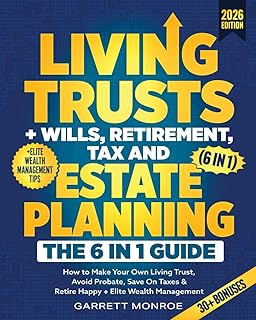
Living Trusts + Wills, Retirement, Tax & Estate Planning – The 6-in-1 Guide – This comprehensive book ( $24.97, 4.5 stars ) includes sample forms and a checklist for organizing your estate. Use it to cross-check that you’ve covered all the bases, then store the completed forms as part of your plan.
For a deep dive into estate planning law, the Nolo’s Guide to Estate Planning ($27.89, 4.7 stars) is widely considered the gold standard. Buy it, read it, and keep it alongside your documents as a reference for your executor.
Security and Privacy: Balancing Access with Protection
You want your documents to be found, but you also don’t want them to fall into the wrong hands. Here’s how to strike the balance.
Physical Security
- Keep originals in a fireproof safe that is bolted down.
- Do not store your will in a safe deposit box unless you have a co-owner who can access it without a court order.
- Make copies and keep them in a separate location (e.g., your attorney’s office).
Digital Security
- Use encrypted cloud storage (end-to-end encryption is best).
- Enable two-factor authentication on all accounts, but give your executor a backup code or use a service that offers “legacy contacts” (e.g., Google Inactive Account Manager).
- Never email unencrypted copies of your will or trust. Use a secure file-sharing service.
The “Letter of Instruction”
A letter of instruction is not legally binding, but it’s the most valuable piece of paper you can leave. It tells your executor:
- “My will is in the black safe in my home office. The combination is 27-18-44.”
- “My living trust is stored in a PDF on my Google Drive. Login: myemail@gmail.com / password: NoNeedToGuess – use the emergency access code I gave you.”
- “Contact attorney Jane Smith (555-1234) for guidance.”
Write this letter by hand or print it. Keep it in a sealed envelope with the label described earlier.
What to Do When You Update Your Documents
Estate plans change. You get married, divorced, have a child, buy a house, or move to a new state. Every time you update your will or trust, you must also update your storage system.
- Print a new copy of the amended will or trust.
- Replace the old original in your safe.
- Delete the old digital copy and upload the new one.
- Destroy old copies (shred them).
- Inform your executor and attorney about the update.
Important: Do not write changes on the original document. That can invalidate it. Always execute a formal amendment (codicil for wills, amendment for trusts).
The Role of Your Executor and Trustee in Finding Documents
Your executor (for the will) and trustee (for the trust) are the people responsible for locating and managing your documents. They must know:
- Where to look (your home, safe, cloud, attorney’s office).
- How to access it (combination, password, spare key).
- What to do next (probate court, trust administration, notifying beneficiaries).
If you fail to brief them, they can waste precious time searching. Consider creating a “Document Location Sheet” that lists every physical and digital location. Give a copy to your executor and attorney.
For more on selecting the right person, read our guide: The Role of a Trustee: Duties, Liabilities, and How to Pick the Right Person.
Legal Considerations: State Laws and Document Originals
Storage rules can vary by state. Here are a few legal nuances.
- Self-proving wills: Some states require your will to be “self-proved” (with a notary and witnesses signing an affidavit). Store this affidavit with the will.
- Electronic wills: A few states now allow electronic wills. Check if your state recognizes them. If so, digital storage may be sufficient.
- Trust funding: Your trust is useless if assets aren’t titled in the trust’s name. Store your updated deed, bank statements, and investment account statements alongside the trust document.
For a deeper understanding of the differences, see: Last Will vs. Living Trust: Which Is Better for Your Situation?.
Internal Linking: Build Your Knowledge
This article is part of a broader estate planning journey. Strengthen your plan by exploring these related topics:
- Step-by-step Guide to Writing a Legally Valid Will (Even if You’re Not Rich)
- Types of Trusts Explained: Revocable, Irrevocable, Special Needs, and More
- Funding Your Trust: What It Means and How to Properly Transfer Assets
- Living Will and Healthcare Directives: Making Medical Wishes Legally Clear
- DIY Online Wills: Are They Safe or a Legal Disaster Waiting to Happen?
- How to Update a Will or Trust after Major Life Changes?
- Trusts for Minor Children: How to Control When and How They Receive Money
- Tax Implications of Different Trusts: What Families Need to Know before Setting One Up
Frequently Asked Questions
1. Should I keep my will in a safe deposit box?
Generally, no. Many banks seal safe deposit boxes upon the owner’s death, requiring a court order to open. This delays probate. If you must use a safe deposit box, add a co-owner or authorize your executor to access it in advance.
2. How do I give my executor access to my digital documents?
Use a password manager with emergency access (e.g., LastPass, 1Password). Or write down your account credentials on paper and store them in the same emergency envelope as your will location.
3. Can I share my will with beneficiaries before I die?
Yes, but it’s optional. Some people feel uncomfortable. If you do share, you risk creating disputes if you later change the will. A summary is often safer.
4. What if I lose the original will?
If you can’t find the original, the court may accept a copy, but it’s harder. The executor will need to prove the copy is authentic. Always make multiple backups and store them separately.
5. Do I need an attorney to store my documents?
No, but an attorney can hold a copy in their safe. This is a professional courtesy many firms offer. Ask your estate planning lawyer if they provide this service.
6. What should I do with my digital accounts after death?
Use Google Inactive Account Manager or Facebook Legacy Contact. For other accounts, include a list in your “I’m Dead, Now What?” planner.