 Insurance Curator
 You have spent years building your financial life. Your home, your retirement accounts, your insurance policies, and your digital photos are all part of the legacy you plan to leave behind. Yet when you sit down to create an estate plan, do you include your online accounts? A single hacked email can give an attacker access to your bank, your broker, and even your will documents. The good news is that a handful of simple habits stop the vast majority of cyberattacks. And when you combine those habits with a solid estate plan, you protect not only your money but also your digital legacy.
One of the first steps in modern estate planning is creating a clear inventory of your digital assets. A resource like Living Trusts, Wills & Estate Planning for Seniors – The Complete 3-in-1 Guide (Amazon, $22.97, rating 4.4) helps you organize everything from property deeds to login credentials. But before you store those credentials, you need to lock the door. Let’s walk through the cybersecurity habits that block nearly every common attack — and how they tie directly to protecting your estate.

Why Everyday Consumers Are the Prime Target
Many people think hackers only go after big corporations. In reality, 43% of cyberattacks target small businesses and individual consumers. Why? Because individuals often use weak passwords, skip updates, and click on phishing links. Attackers know that one compromised consumer account can lead to identity theft, drained savings, or even a fraudulent transfer of property.
The good news is that you don’t need to be a tech expert to protect yourself. Simple, repeatable habits block more than 90% of common threats. And when you incorporate those habits into your estate planning, you also ensure that your heirs can access your digital assets without creating security holes.
For a deeper dive into password hygiene, check out our guide on How to Create and Manage Strong Passwords Without Going Crazy?.
Habit #1: Use a Password Manager (and Enable Passkeys)
Reusing passwords across sites is the number one cause of account takeovers. If a hacker steals your password from a low-security forum, they try it on your email, bank, and social media. The solution is a password manager — it generates long, random passwords and stores them securely behind a single master password.
Why this matters for estate planning: Your password manager can also store emergency access instructions for a trusted family member or executor. Most password managers let you designate a “digital legacy” contact who can request access after you pass away. This ensures your heirs can close accounts, transfer funds, and retrieve important documents.
Passkeys are the next evolution. They replace passwords entirely with biometric or device-based authentication. They are phishing-resistant and far simpler to use. As more sites adopt passkeys, you should start using them wherever possible. For a full comparison, read Passwords vs. Passkeys: What Consumers Need to Know About the Future of Logins.
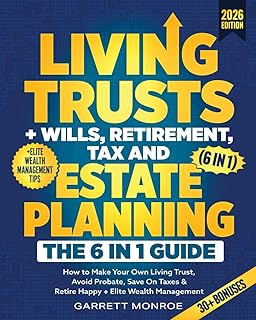
While you are organizing your digital life, a comprehensive estate planning guide can help you track every account. The Living Trusts + Wills, Retirement, Tax & Estate Planning – The 6-in-1 Guide (Amazon, $24.97, rating 4.5) covers not only wills and trusts but also wealth management strategies that include digital asset protection.
Habit #2: Turn On Two-Factor Authentication Everywhere
Two-factor authentication (2FA) adds a second layer of security beyond your password. Even if a hacker guesses your password, they cannot log in without the second factor — typically a code sent to your phone or generated by an authenticator app.
Which accounts need it most: Start with your email (because password resets go there), then your financial accounts, social media, and any cloud storage. Use an authenticator app like Google Authenticator or Authy instead of SMS when possible, because SIM-swap attacks can intercept text messages.
For estate planning, consider storing backup codes or a hardware security key in a safe deposit box. This ensures your executor can access your digital accounts without relying on your phone. Learn more in Two-factor Authentication for Consumers: What It Is and Which Accounts Need It Most.
A trusted legal resource like Nolo’s Guide to Estate Planning (Amazon, $27.89, rating 4.7) explains how to appoint a digital executor and what legal powers they need. Pair that with strong 2FA habits and you have a powerful defense.

Habit #3: Secure Your Home Wi-Fi
Your home Wi-Fi is the gateway to every connected device. If an attacker breaches your router, they can spy on your traffic, infect your computers, or even access your smart home cameras.
Settings you should change right now:
- Change the default admin username and password on your router.
- Enable WPA3 encryption (or WPA2 if WPA3 is unavailable).
- Disable WPS and UPnP.
- Create a separate guest network for visitors and smart devices.
- Update the router firmware regularly.
A weak Wi-Fi password also puts your estate planning documents at risk if you store them in a cloud service or on a network drive. For a full walkthrough, see Securing Your Home Wi-fi Network: Settings You Should Change Right Now.
In addition, smart home devices like cameras and speakers are common entry points. Read How to Secure Smart Home Devices: Cameras, Speakers, and Connected Appliances? to lock down your entire network.
Habit #4: Lock Down Your Smartphone
Your smartphone is a mini computer that holds your 2FA codes, email, banking apps, and personal photos. If it falls into the wrong hands, your entire digital life is exposed.
Essential steps:
- Use a strong PIN or biometric lock (fingerprint or face recognition).
- Keep your operating system and apps updated.
- Only download apps from official stores (Apple App Store, Google Play).
- Review app permissions — does a flashlight app really need access to your contacts?
- Enable “Find My Device” to remotely wipe if lost.
For mobile-specific threats like sim swapping and malicious apps, read Mobile Cybersecurity: How to Lock down Your Smartphone Against Hackers.
When you plan your estate, include instructions for how your executor should handle your phone. Should it be factory reset? Are there accounts that need to be transferred? A simple guide like Estate Planning For Dummies (Amazon, $20.99, rating 4.3) covers these practical steps in a plain-English format.

Habit #5: Recognize Phishing and Social Engineering
Phishing emails, fake texts, and phone impersonation scams trick you into revealing passwords or clicking malicious links. Attackers often impersonate banks, government agencies, or even family members. The best defense is skepticism.
Red flags to watch for:
- Urgent language: “Your account will be closed!”
- Suspicious sender addresses (e.g., support@bankk.com).
- Generic greetings like “Dear Customer.”
- Attachments or links you weren’t expecting.
If you receive a suspicious email, do not click. Instead, navigate directly to the official website or call the institution using a known number.
Phishing is also a risk when shopping online. Learn how to spot fake stores and payment traps in Safe Online Shopping: Spotting Fake Stores, Payment Traps, and Delivery Scams.
Estate planning connection: Your executor may receive phishing attempts pretending to be you or your attorney. Instruct them to verify everything through a trusted channel. To help your heirs manage your accounts after you’re gone, use a planner like I’m Dead, Now What? Planner – Important Information about My Belongings, Business Affairs, and Wishes (Amazon, $11.63, rating 4.6). It includes sections for passwords, digital accounts, and important contacts, but make sure to keep it in a secure location.

Habit #6: Back Up Your Data and Use Cloud Storage Safely
Ransomware encrypts your files and demands payment. A simple backup can save you from losing everything. Follow the 3-2-1 rule: three copies of your data, on two different media, with one copy offsite.
Cloud storage safety tips:
- Enable encryption (end-to-end if offered).
- Use strong, unique passwords for each cloud service.
- Enable 2FA on your cloud account.
- Audit sharing settings regularly — don’t leave folders public.
For estate planning, store your will, trust documents, and a digital asset inventory in encrypted cloud storage. Give your executor the encryption key via your password manager or a secure letter. Read more in Cloud Storage Safety: Keeping Personal Photos and Documents Secure Online.
A printed copy of your digital inventory can also be kept in a safe deposit box — but remember to update it whenever you change passwords. The book Living Trusts, Wills & Estate Planning for Seniors includes fillable forms that help you list all your digital and physical assets.
Habit #7: Protect Your Kids and Family Online
If you have children, their online safety is part of your overall cybersecurity — and your estate planning should consider guardianship of digital accounts as well.
Family cybersecurity basics:
- Set up parental controls on devices and browsers.
- Teach children not to share personal information online.
- Use family-sharing features for passwords and accounts.
- Monitor for cyberbullying or stranger contact.
Learn more in Protecting Kids Online: Cybersecurity Basics for Families with Children.
When you create your estate plan, consider naming a digital guardian for your children’s online accounts until they reach adulthood.
Habit #8: Use Browser Privacy Extensions and Safe Browsing
Your browser is your window to the internet — and a common attack vector. Malicious extensions, trackers, and drive-by downloads can compromise your system without you clicking anything.
Safe browsing habits:
- Install an ad blocker (like uBlock Origin).
- Use a privacy extension like Privacy Badger or DuckDuckGo.
- Keep your browser updated.
- Avoid using “sign in with Google/Facebook” on untrusted sites.
- Clear cookies and cache regularly.
For a complete guide, read Browser Security for Consumers: Privacy Settings, Extensions, and Safe Browsing Tips.
If you access sensitive estate planning documents online, use a private browsing window and always verify the site uses HTTPS.
Habit #9: Stay Updated (Software and OS)
Outdated software contains known vulnerabilities that attackers exploit. Ransomware like WannaCry spread because people didn’t install a critical Windows update. Automatic updates are your friend.
What to keep updated:
- Operating system (Windows, macOS, iOS, Android).
- Web browsers and email clients.
- Antivirus or security software.
- Router firmware.
- Smart home device firmware.
Enable automatic updates wherever possible. For work-from-home setups, see Cybersecurity for Remote Workers: Protecting Personal Devices Used for Work.
One update you cannot forget: updating your estate plan. As laws change and your family grows, revisit your will, trust, and digital executor designations every few years.
Integrating Cybersecurity into Your Estate Planning
By now you have nine habits that block nearly all consumer attacks. But how do you weave them into a coherent estate plan?
- Create a digital asset inventory. List every online account, subscription, and cloud storage service. Include login URLs, email used, and where passwords are stored.
- Designate a digital executor. This person will have the authority to access, transfer, or close your digital accounts. Make sure they know how to use your password manager.
- Store recovery information securely. Backup codes for 2FA, encryption keys, and the master password for your password manager should be in a sealed envelope in a safe deposit box or with your attorney.
- Test your plan. Give your digital executor access to a test account and see if they can log in using your instructions.
- Review annually. Passwords, accounts, and threats change. Set a reminder to update your inventory and security settings every year.
To make the process easier, you can rely on trusted resources. Here is a quick comparison of the top estate planning guides we have referenced:
| Product | Price | Rating | Best For |
|---|---|---|---|
| Living Trusts, Wills & Estate Planning for Seniors – 3-in-1 | $22.97 | 4.4 | Seniors wanting a complete guide with forms |
| Living Trusts + Wills, Retirement, Tax & Estate Planning – 6-in-1 | $24.97 | 4.5 | Comprehensive wealth and digital asset planning |
| Nolo’s Guide to Estate Planning | $27.89 | 4.7 | Legal depth from a trusted publisher |
| Estate Planning For Dummies | $20.99 | 4.3 | Beginners who want simple explanations |
| I’m Dead, Now What? Planner | $11.63 | 4.6 | Practical organizer for final wishes and account lists |
Each of these tools can help you document and protect your legacy — but without the cybersecurity habits you have learned, even the best estate plan can be undone by a single phishing email.
Final Thoughts: Small Habits, Big Protection
You do not need to be a cybersecurity expert to lock out attackers. By using a password manager, turning on 2FA, securing your Wi-Fi, keeping devices updated, and recognizing phishing, you block the vast majority of threats. When you integrate these habits into your estate planning, you also protect your family from the chaos of hacked accounts and stolen identities.
Start today. Pick one habit — maybe enable 2FA on your email — and build from there. Your future self, and your heirs, will thank you.
Frequently Asked Questions
Q1: Do I really need a password manager? Can’t I just write down passwords?
Writing passwords on paper is better than reusing the same password everywhere, but it is hard to keep secure and updated. A password manager generates strong passwords, stores them encrypted, and lets you share emergency access with your executor. It is the single most effective habit.
Q2: What is the best two-factor authentication method for estate planning?
Use an authenticator app (Google Authenticator, Authy, or Microsoft Authenticator) rather than SMS. Store a printed list of backup codes in a safe deposit box so your executor can access accounts.
Q3: How do I choose a digital executor?
Choose someone who is trustworthy, tech-savvy, and willing to learn. You can name them in your will or a separate digital asset agreement. Many states now have laws that grant legal access to digital executors.
Q4: Should I include my social media accounts in my estate plan?
Absolutely. Social media platforms each have their own policies for deceased users. You can request memorialization or deletion in advance. List all accounts in your digital inventory.
Q5: What happens if I don’t secure my home Wi-Fi and someone hacks into my network?
An attacker could intercept your online banking sessions, steal your passwords, or access your home security cameras. They could also use your network to commit crimes traced back to you. Securing Wi-Fi is a foundational step.
Q6: How often should I update my estate plan along with my cybersecurity habits?
Review both at least once a year or after major life events (marriage, divorce, birth, death, job change). Also update after any significant security breach.