 Insurance Curator
 In an era where bank account takeovers and synthetic identity theft cost consumers billions annually, your smartphone has become both a vault and a vulnerability. For anyone working on estate planning, this duality is especially critical: the assets you’ve spent decades building—intended for your children, spouse, or favorite charity—can vanish in minutes if digital defenses fail.
Modern banking apps are no longer passive tools. They offer alerts, transaction limits, and biometric locks that, when configured correctly, create a fortress around your finances. This guide goes beyond basic tips. You’ll learn exactly which settings to toggle, why estate planning demands a higher security standard, and how to layer protections so that even a compromised password can’t drain your accounts.
We’ll also connect you with Living Trusts, Wills & Estate Planning for Seniors – The Complete 3-in-1 Guide and other top resources to help you document your digital security wishes alongside your will.
The Growing Threat of Banking Fraud in the Digital Age
Banking fraud is evolving faster than ever. Criminals no longer need your physical debit card. They use phishing texts, SIM swaps, and credential stuffing to log into your mobile app. Once inside, they can initiate wire transfers, change contact information, and lock you out.
Consider this: The Federal Trade Commission reported that consumers lost over $10 billion to fraud in 2023, with bank transfers and payment apps accounting for a significant slice. Seniors—often with larger nest eggs and less familiarity with app settings—are disproportionately targeted.
That’s why fraud prevention isn’t just about reacting to a suspicious charge. It’s about building a proactive security architecture inside your banking app. And when those accounts hold assets that will fund retirements or inheritances, the stakes multiply.
Why Estate Planning and Banking App Security Go Hand-in-Hand
Estate planning is about ensuring your wealth passes according to your wishes, not a criminal’s. But if a fraudster drains your savings before you die, or if your executor can’t access accounts because they’re frozen due to suspicious activity, your estate plan fails.
Here’s the connection:
- Beneficiary designations on retirement accounts and bank accounts are part of your estate plan. If those accounts are compromised, the payouts disappear.
- Digital assets like banking credentials must be accessible to your trustee or executor. Secure app settings prevent unauthorized access during a transition.
- Elder financial fraud is a top concern for families. App security features give you and your loved ones real-time visibility into account activity.
By integrating banking app fraud prevention into your estate planning checklist, you protect both your lifetime wealth and your legacy.
Core Security Features in Banking Apps
Every major banking app today offers a suite of security controls. The key is knowing which ones matter most and how to fine-tune them. Below is a comparison of the features you should activate immediately.
| Feature | What It Does | Best For |
|---|---|---|
| Transaction Alerts | Notifies you of any charge or withdrawal over a specified amount | Spotting unauthorized activity in seconds |
| Balance Alerts | Warns when your balance drops below a set threshold | Preventing overdrafts and catching small “test” frauds |
| Login Alerts | Sends a notification when someone logs in from a new device or location | Detecting account takeover early |
| Daily Transfer Limits | Caps the amount you can send via ACH, wire, or P2P per day | Limiting damage if credentials are stolen |
| ATM Withdrawal Limits | Restricts how much cash can be taken from ATMs daily | Preventing physical card fraud |
| Card Freeze/Unfreeze | Allows instant locking of your debit or credit card | Stopping a lost card before charges pile up |
| Biometric Login | Uses fingerprint, face scan, or voice recognition | Blocking password thieves |
| Two-Factor Authentication (2FA) | Adds a second code (SMS, authenticator app, or hardware token) | Defeating keyloggers and stalkers |
| Dark Web Monitoring | Alerts you if your personal data appears on illicit marketplaces | Enabling proactive password changes |
Action Item: Open your primary banking app right now and navigate to “Security” or “Settings.” You’ll likely find most of these toggles. The rest of this article explains exactly how to configure each one.
How to Set Up Alerts for Real-Time Monitoring
Alerts are your earliest warning system. Without them, a fraudulent transaction might not be noticed until your monthly statement arrives—weeks after the money has been laundered.
Transaction Alerts
Configure your app to push a notification for every transaction over $0.00. Yes, set it to zero. This will notify you for even a dollar coffee purchase. While it sounds annoying, it trains you to expect daily notifications, so a suspicious $20 charge will stand out immediately.
For estate planning purposes, also set alerts for changes to account settings (address, phone, email). Fraudsters often modify contact info first to intercept alerts.
Balance Alerts
Set a lower limit alert (e.g., $500) and an upper limit alert (e.g., $50,000). The lower limit catches unexpected drops. The upper limit warns you if a large deposit or transfer occurs—useful if a fraudster adds a fake check.
Login Alerts
Enable alerts for:
- New device logins
- Logins from unfamiliar cities or countries
- Failed login attempts (more than 3)
These alerts are often turned off by default. Enable them now.
Example Scenario: Your mother is 75 and lives alone. She gets a phishing email claiming her bank needs verification. She clicks the link and enters her credentials. Within minutes, a fraudster logs in from a different state. If her login alert is active, you (as a co-monitor) receive a push notification and can call her immediately.
For more on spotting those phishing messages, see our guide on Recognizing Phishing Emails and Texts: Real-world Examples and Red Flags.
Mastering Transaction Limits to Minimize Exposure
A stolen password is dangerous. A stolen password combined with zero transaction limits is catastrophic. Limits act as a speed bump—they slow down fraud and give you time to react.
Daily ACH and Wire Transfer Limits
Most banks allow you to set a custom daily cap. For accounts linked to estate planning, consider:
- $500 for P2P apps (Zelle, Venmo via bank)
- $1,000 for ACH transfers
- $5,000 for wire transfers (or lower if you rarely wire)
If you need to make a large transfer for a property closing or medical expense, you can temporarily raise the limit for that day.
ATM and POS Withdrawal Limits
Set ATM limits to $200–$500 unless you frequently withdraw large cash sums. Point-of-sale (POS) limits can be higher, but setting a daily cap of $2,000 prevents a card-cloning spree.
Merchant Category Controls
Some apps let you block transactions by category (e.g., gambling, cryptocurrency, overseas merchants). If you never gamble or buy crypto, block those categories entirely. This prevents fraudsters from using your card on those platforms.
Pro Tip for Estate Executors: When you become executor of an estate, immediately lower the deceased’s transaction limits to near zero until you’ve transferred funds to the estate account. This prevents unauthorized use after death.
For deeper insights on wire fraud, read Wire Transfer and Zelle Fraud: Safe Practices before Sending Money.
Biometric Authentication: Your First Line of Defense
Passwords are weak. They can be guessed, phished, or leaked. Biometrics—fingerprint, Face ID, or iris scan—are orders of magnitude harder to fake.
All major banking apps support biometric login. Yet many users skip it, either out of privacy concerns or because they don’t trust “facial recognition.” Here’s the reality:
- Your fingerprint data never leaves your phone. Banks don’t store your biometric; only a mathematical template.
- Biometrics are faster than typing passwords, which means you’re less likely to reuse weak passwords across accounts.
- Elderly users with arthritis may find fingerprint login easier than typing on a keyboard.
To enable: Go to your banking app settings → Security → Biometric or Touch ID. Follow the on-screen prompts.
If the app supports voice recognition (rare but growing), consider that for hands-free security.
Two-Factor Authentication: The Extra Lock on Your Digital Vault
Biometrics authenticate you at login. But what if someone steals your phone and uses your fingerprint while you sleep? Two-factor authentication (2FA) adds a second layer—something you know (a code) or something you have (a hardware token).
Types of 2FA in Banking Apps
- SMS codes: Most common but vulnerable to SIM swapping. Still better than nothing.
- Authenticator app codes (Google Authenticator, Microsoft Authenticator): More secure because they don’t rely on your phone number.
- Hardware tokens (YubiKey, RSA fob): Gold standard, offered by some banks for high-net-worth accounts.
Estate Planning Advice: If you use an authenticator app, document the backup codes and store them with your estate planning documents (in a safety deposit box or with your attorney). Executors will need these to access digital accounts.
Additional Security Features Worth Enabling
Card Freeze/Unfreeze
Most banking apps now let you instantly freeze your debit or credit card. If you misplace your wallet, freeze the card from the app rather than waiting on hold. Unfreeze when you find it.
Remote Logout
Some apps allow you to remotely log out all active sessions. If you suspect your account is compromised, use this feature immediately.
Dark Web Monitoring
Several large banks offer free dark web monitoring. You’ll receive an email if your Social Security number, credit card numbers, or login credentials appear on a dark web marketplace. Then you can change passwords before a fraud attempt.
For example, Chase and Bank of America include this feature in their mobile apps. Check your bank’s Security Center.
Security Question Hints
Avoid easily guessed answers. Instead of “mother’s maiden name,” use a random phrase stored in a password manager. Document these answers in your estate planning folder.
Real-World Scenarios: How These Features Prevent Fraud
Scenario 1: The Small Test Charge
A fraudster steals your credit card number from a hacked website. They charge $1.00 to test the card. Your transaction alert pings instantly. You see the $1.00 from an unknown merchant in another state. You freeze the card, call the bank, and prevent a $5,000 spending spree.
Scenario 2: SIM Swap Attack
A criminal convinces your phone carrier to transfer your number to a new SIM. They then reset your banking password via SMS. But your bank requires biometric re-authentication for password changes. The fraudster can’t proceed. Your login alert also fires because the reset attempt came from an unrecognized device.
Scenario 3: Elder Relative Victim of Romance Scam
Your father is being coerced into sending money to a “girlfriend” overseas. You’ve set his daily Zelle limit to $300. He can’t send the requested $5,000 in one go. His repeated attempts trigger a fraud alert at the bank, and you receive a notification as his trusted contact.
For more on this type of exploitation, read Elder Financial Fraud: How Families Can Monitor and Protect Vulnerable Relatives.
Integrating Banking App Security into Your Estate Plan
Now that you’ve configured your security features, it’s time to document them. An estate plan without digital asset instructions can leave heirs locked out of accounts or susceptible to fraud after your death.
Steps to Take
- Create a Digital Asset Inventory – List every bank, credit union, and investment app you use, along with account numbers.
- Document Security Settings – Note which features are enabled: 2FA method, daily limits, alert email/phone.
- Designate a Digital Executor – In your will, name someone to manage your digital assets. Grant them access to your password manager (if you use one).
- Store Recovery Codes – Print backup codes for 2FA and add them to your estate planning binder.
- Communicate with Heirs – Tell your executor where to find your banking apps and security documents.
Important: Never include login credentials in your will itself (wills become public after probate). Instead, store them in a secure location referenced in your will.
Must-Read Estate Planning Resources
To build a comprehensive estate plan that includes digital security, you’ll want authoritative guides. Below are top-rated books that cover living trusts, wills, tax strategies, and more.

Living Trusts, Wills & Estate Planning for Seniors – 4.4 stars, $22.97. This 3-in-1 guide covers everything from avoiding probate to handling digital assets. Perfect for seniors or their families.
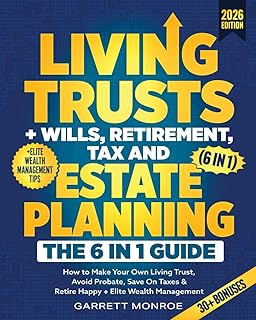
Living Trusts + Wills, Retirement, Tax & Estate Planning (6-in-1) – 4.5 stars, $24.97. Goes beyond basics into wealth management and tax-saving strategies.

Nolo’s Guide to Estate Planning – 4.7 stars, $27.89. A comprehensive, lawyer-approved reference trusted for decades.

Estate Planning For Dummies – 4.3 stars, $20.99. A beginner-friendly option that demystifies trusts, taxes, and healthcare directives.

I’m Dead, Now What? Planner – 4.6 stars, $11.63. Not a guide but a practical organizer to record all your accounts, wishes, and security details for your family.
Use these resources alongside the banking app security settings described here to create a bulletproof estate plan.
Common Mistakes That Undermine Your Security
Even with all features enabled, people slip up. Avoid these pitfalls:
- Using the same password across multiple banks. If one gets breached, all are compromised.
- Disabling alerts because they’re “annoying.” That one ignored notification could be the difference between loss and recovery.
- Storing passwords in a plain text file on your phone. Use a password manager.
- Not updating the app. Banks release security patches. Outdated apps have known vulnerabilities.
- Assuming your bank’s default settings are sufficient. They usually set limits high and alerts off. You must customize.
For a broader view of everyday fraud prevention, see Fraud Prevention Basics: Everyday Steps to Avoid Becoming a Victim.
FAQ: Fraud Prevention with Banking Apps
Below are answers to common questions about banking app security and estate planning.
Q: Can I use the same banking app for multiple accounts without increasing fraud risk?
A: Yes, if you use separate login credentials and enable biometric authentication for each account. Many banking apps allow multiple profile switching securely.
Q: How do I monitor an elderly relative’s banking app without violating their privacy?
A: Ask them to add you as a “trusted contact” or joint account holder on a limited basis. Many banks allow read-only access alerts to be sent to a secondary phone number.
Q: What should I do if I receive a transaction alert for a charge I did not authorize?
A: Freeze your card immediately from the app, then call the bank’s fraud department. Do not reply to the alert text or call any number in the alert (it could be a scam). Find the bank’s official number from their website or app.
Q: Do banking apps cover fraud if I lose my phone?
A: Yes, federal regulations (Regulation E) limit your liability to $50 if you report the loss within two business days. Most banks offer zero liability for unauthorized transactions. However, prompt notification is key.
Q: How often should I review and update my app security settings?
A: At least quarterly, or whenever you receive a major app update. Also review settings after any life event (marriage, divorce, death of spouse) that affects your estate plan.
For a complete step-by-step after a fraud incident, refer to What to Do if You’ve Been Defrauded: Reporting, Documentation, and Recovery Steps.
Conclusion
Fraud prevention no longer stops at shredding documents or checking your credit report. Your banking app is now the primary guardian of your financial life—and by extension, your estate. By activating transaction alerts, setting tight transaction limits, enabling biometrics and two-factor authentication, you create multiple layers of defense that stop fraud before it spirals.
When you pair these digital safeguards with a solid estate plan—documented in resources like Living Trusts, Wills & Estate Planning for Seniors—you ensure that your wealth reaches its intended destination, not a fraudster’s offshore account.
Take 20 minutes today to open your banking app and review every security setting. Your future self—and your heirs—will thank you.