 Insurance Curator
 Your digital life holds sensitive information—bank accounts, medical records, and estate planning documents. Whether you’re drafting a living trust or just checking email on public Wi‑Fi, a VPN can protect your data. But using a VPN incorrectly can create more risks than it solves. This guide covers exactly how to use a VPN safely and when you actually need one, especially if you’re managing estate‑planning paperwork online.
Before we dive in, if you’re serious about protecting your legacy, grab a copy of Living Trusts, Wills & Estate Planning for Seniors – The Complete 3‑in‑1 Guide ($22 · 97, 4.4★) or the more comprehensive Living Trusts + Wills, Retirement, Tax & Estate Planning – The 6‑in‑1 Guide ($24 · 97, 4.5★). These resources help you organize your assets while you strengthen your online privacy.
What Is a VPN and How Does It Work?
A Virtual Private Network (VPN) encrypts your internet traffic and routes it through a remote server. This hides your IP address and makes your online activity unreadable to your Internet Service Provider (ISP), hackers, or even your coffee shop’s Wi‑Fi.
- Your data is wrapped in a secure tunnel.
- Your real IP is replaced with the VPN server’s IP.
- Even if someone intercepts the data, they see only gibberish.
But a VPN is not a magic invisibility cloak. It protects your connection, not your behavior. If you log into Facebook, Facebook still knows it’s you. And if the VPN provider logs your activity, your privacy vanishes.
Common VPN Misconceptions (Don’t Fall for These)
-
“A VPN makes me completely anonymous.”
No. Your VPN provider can see everything if they keep logs. Always choose a no‑logs provider verified by audits. -
“I only need a VPN for illegal stuff.”
False. Journalists, travelers, and anyone managing estate plans use VPNs to protect sensitive documents from snooping. -
“Free VPNs are fine.”
Most free VPNs sell your data or inject ads. They often have weak encryption and no kill switch. Avoid them for anything private. -
“Incognito mode + VPN = untraceable.”
Incognito only clears your local history. Your ISP and the websites you visit still see you. A VPN hides your IP, but cookies and logins still identify you.
How to Use a VPN Safely: An Expert Guide
Follow these steps to get the privacy protection you’re paying for.
1. Choose a Reputable, No‑Logs VPN Provider
Look for providers that have undergone independent security audits and are based in privacy‑friendly jurisdictions (e.g., Switzerland, Iceland). Avoid US‑based VPNs that must comply with surveillance orders.
- Must‑have features: AES‑256 encryption, kill switch, DNS leak protection, and a strict no‑logs policy.
2. Enable the Kill Switch
A kill switch automatically blocks internet traffic if the VPN connection drops. Without it, your real IP can leak for even a split second—exposing your location and data.
3. Use Split Tunneling (With Caution)
Split tunneling lets you route only some apps through the VPN while others use your normal connection. This is useful for streaming while keeping banking traffic encrypted. But be careful: if you forget to split, you may expose sensitive data.
4. Keep Your VPN Client Updated
VPN software, like any app, has vulnerabilities. Updates patch security holes. Enable automatic updates.
5. Test for Leaks
After connecting, run a leak test (many VPN providers offer free tools). Check for DNS, IPv6, and WebRTC leaks. If your real IP appears, your VPN is not working properly.
6. Use Strong, Unique Passwords for Your VPN Account
Your VPN account is a gateway to your browsing history. If compromised, an attacker can see everything. Use a password manager and enable two‑factor authentication (2FA) if available.
7. Disconnect When You Don’t Need It
Running a VPN 24/7 can slow your connection and drain battery. Use it only for activities that require privacy—like accessing cloud storage with will documents, using public Wi‑Fi, or bypassing censorship.
When Do You Actually Need a VPN?
Not every online activity requires a VPN. Here’s when it’s genuinely necessary.
Public Wi‑Fi (Coffee Shops, Airports, Hotels)
Unsecured public networks are a hacker’s playground. Without a VPN, anyone on the same network can intercept your traffic using simple tools. Always connect to a VPN before logging into email, banking, or estate‑planning software.
Accessing Sensitive Financial or Legal Accounts
Your bank, brokerage, and estate‑planning accounts hold your life’s work. A VPN encrypts the connection, preventing credential theft—especially when you’re away from home.
Sharing Estate‑Planning Documents Online
If you email or upload PDFs of your will or trust, use a VPN to keep the transmission private. Cloud storage providers like Google Drive also encrypt data at rest, but encryption during transit is equally important, and a VPN adds that layer.
Avoiding ISP Tracking and Throttling
Your ISP can see every site you visit and may sell that data or throttle streaming traffic. A VPN hides your browsing history from your ISP.
Bypassing Geo‑Restrictions for Travelers
When you’re abroad, you might need to access your US bank or estate‑planning portals that are region‑blocked. A VPN with servers in your home country solves this.
Protecting Conversations with Your Estate Lawyer
Video calls via Zoom or FaceTime are encrypted, but metadata (time, duration, IP) is still visible. A VPN adds an extra shield, preventing anyone from knowing you’re speaking with a lawyer.
The Risks of Using a VPN Unsafely
A poorly chosen or misconfigured VPN can backfire.
- Malware‑infected VPNs: Some free VPNs inject malware or adware into your browser.
- Logging and selling your data: If the VPN provider logs traffic, you lose all privacy.
- IP leaks: Misconfigured VPNs can leak your real IP, defeating the purpose.
- DNS hijacking: Rogue VPNs may redirect your DNS requests to phishing sites.
- Slow speeds and connection drops: Without a reliable kill switch, dropping the VPN exposes you.
Verdict: A safe VPN is an asset. An unsafe VPN is a liability. Invest in a paid, audited service.
VPN and Estate Planning: Why It Matters for Your Digital Legacy
Estate planning involves some of the most intimate details of your life: beneficiaries, asset valuations, medical directives, and digital accounts. If these fall into the wrong hands, your legacy could be compromised.
- Digital assets like cryptocurrency wallets, online brokerage accounts, and cloud storage for wills need protection. A VPN prevents unauthorized parties from tracking your access patterns.
- Executor access often relies on a password manager stored in the cloud. When logging into that manager from a new device, a VPN ensures no one is eavesdropping.
- Legal software (e.g., software to draft a trust) sometimes sends data to servers. A VPN encrypts that link, keeping your wishes private.
While you plan your estate, also secure your digital footprint. For a broader look at how your data is collected and sold, read Online Privacy 101: How Your Data Is Collected, Tracked, and Sold. And to reduce your exposure, see How to Reduce Your Digital Footprint: Practical Steps to Take This Week?.
Recommended Estate‑Planning Resources (While You Stay Private With a VPN)
Below are top‑rated books to help you create a solid estate plan without overpaying lawyers. Each title is available on Amazon—use a VPN when browsing and purchasing to keep your interest in estate planning private.

Living Trusts, Wills & Estate Planning for Seniors – The Complete 3‑in‑1 Guide – $22 · 97, ★4.4
This easy‑to‑follow guide helps seniors protect assets, avoid probate, and create an estate plan without costly lawyers. Includes will & trust forms.
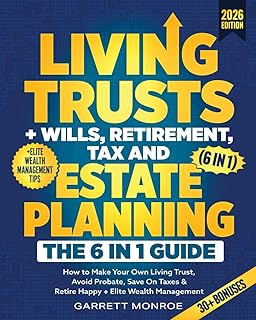
Living Trusts + Wills, Retirement, Tax & Estate Planning – The 6‑in‑1 Guide – $24 · 97, ★4.5
A comprehensive wealth strategy covering living trusts, tax savings, retirement happiness, and elite wealth management.

Nolo’s Guide to Estate Planning – $27 · 89, ★4.7
Widely considered the gold standard. Covers wills, trusts, power of attorney, and health‑care directives. Updated for recent laws.

Estate Planning For Dummies – $20 · 99, ★4.3
Perfect for beginners. Breaks down complex topics like trusts, taxes, and digital assets in plain English.

I’m Dead, Now What? Planner – $11 · 63, ★4.6
An essential organizer for your belongings, business affairs, and final wishes. A perfect companion to digital security tools.
These resources, combined with a VPN, ensure your estate‑planning research and document sharing remain confidential.
FAQ: VPN Safety and Estate Planning
Q: Do I need a VPN if I only browse estate‑planning websites at home?
A: Your ISP still records your activity. If you prefer privacy from your own ISP, a VPN helps. But many people only use a VPN on public networks.
Q: Can a VPN protect my digital will from hackers?
A: It protects the transmission, not the storage. Use strong passwords and two‑factor authentication for your accounts. A VPN prevents someone from intercepting the traffic when you upload your will.
Q: What’s the best VPN for estate‑planning work?
A: Look for a paid service with a no‑logs policy, kill switch, and good speed. Popular options include ExpressVPN, NordVPN, or ProtonVPN.
Q: Will a VPN slow down my connection when downloading estate‑planning books?
A: Minimal slowdown. Quality VPNs maintain 80–90% of your original speed. For downloading PDFs or accessing online forms, the difference is imperceptible.
Q: Should I use a VPN when sharing my estate plan via email?
A: Yes, especially on public Wi‑Fi. Even on your home network, a VPN adds encryption. To further protect your messages, read Email Privacy: Securing Sensitive Messages and Avoiding Tracking Pixels.
Q: Does using a VPN help with location tracking when I travel and need to update my will?
A: Absolutely. If you’re abroad and need to access a US‑based bank or lawyer portal, a VPN makes it appear that you’re in the US, avoiding geo‑blocks. For more on location tracking, see Location Tracking and Geotagging: Who Can See Where You’ve Been and How to Limit It.
Final Thoughts: VPNs Are a Tool, Not a Cure‑All
Using a VPN safely means choosing a trustworthy provider, enabling a kill switch, testing for leaks, and using it only when the situation calls for extra privacy. When you combine a VPN with solid estate‑planning resources—like the books listed above—you protect both your digital and physical legacy.
Start by securing your browsing habits. Then secure your assets. For deeper dives, explore our complete Online Privacy pillar:
- Browser Privacy Tools: Ad Blockers, VPNs, and Private Search Engines Explained
- Privacy Settings You Should Change on Major Social Media Platforms
- Smartphone Privacy Settings: What to Turn Off on iOS and Android Right Now
- Data Brokers and People‑search Sites: How to Remove Your Information
- Privacy‑friendly Alternatives to Popular Apps and Services
Estate planning is about leaving a secure future for your loved ones. A VPN helps keep that future private—starting today.